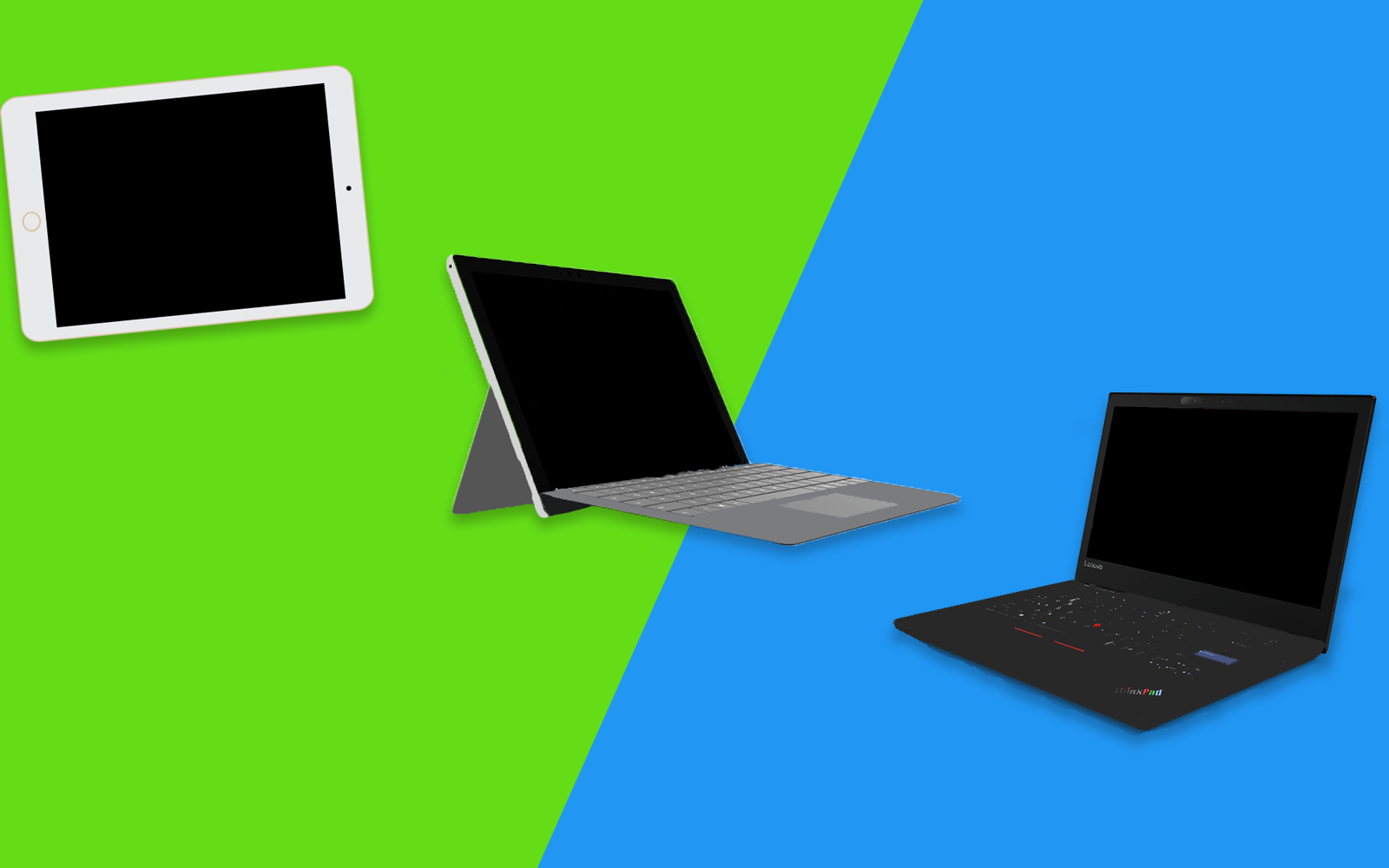
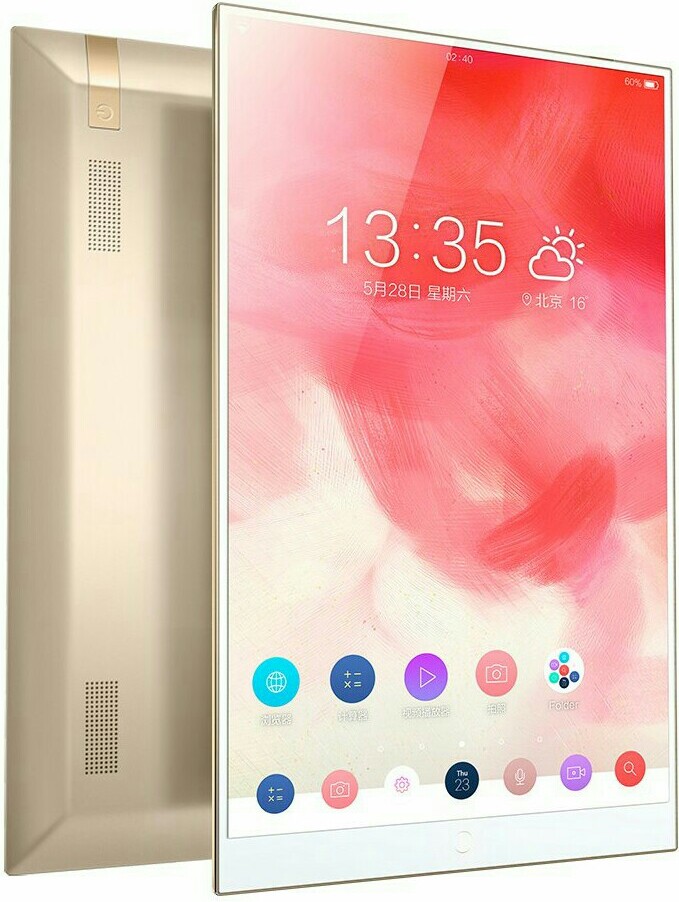
2 in 1 PCs are hybrid computers that can be used both as a laptop or as a tablet.
What is a 2 in 1 PC
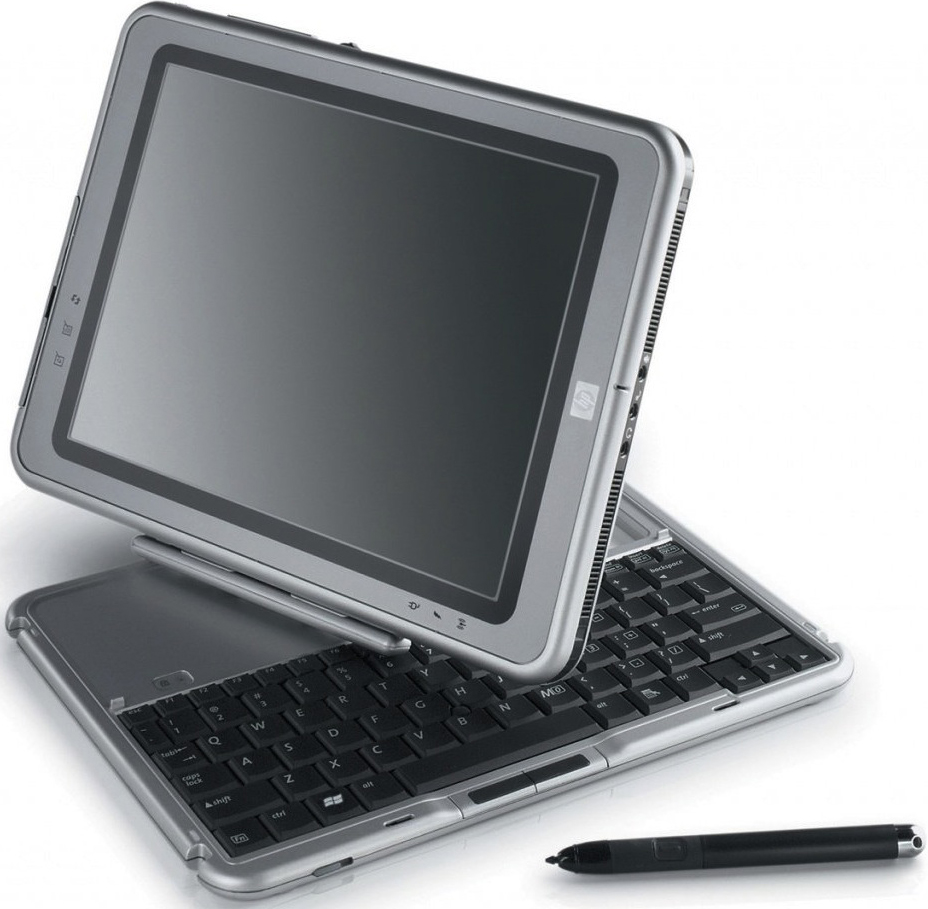
A 2 in 1 Computer is a tablet-laptop hybrid that can be used as both. 2 in 1s try to combine the portability of a tablet with the functionality of a laptop. The earliest device that can be called a 2 in 1 is the Compaq TC1000 launched in 2002 with Windows XP. Though the modern day boost to 2 in 1s was given by the Microsoft Surface series.
Windows 2 in 1s originated with the launch of the defunct Windows RT platform. Even though the platform failed due to lack of features, 2 in 1s became popular and soon began appearing with the full version of Windows. Windows 8s touch friendly features also played a major role in this.
Compaq TC1000
Now, 2 in 1s running various operating systems can be seen on the market including Android, Chrome OS, iOS, Linux and Windows 10S.
Today, 2 in 1s come with different capabilities in different price brackets. With the introduction of Windows on ARM. 2 in 1s also come with Qualcomm's mobile processors. 2 in 1s with Intel's Atom and Core m series of processors. Pricier 2 in 1s with Intel's Core i processors are also available.
How can 2 in 1s be classified
Besides the OS that they run, 2 in 1s can be classified according to their design
Detatchables
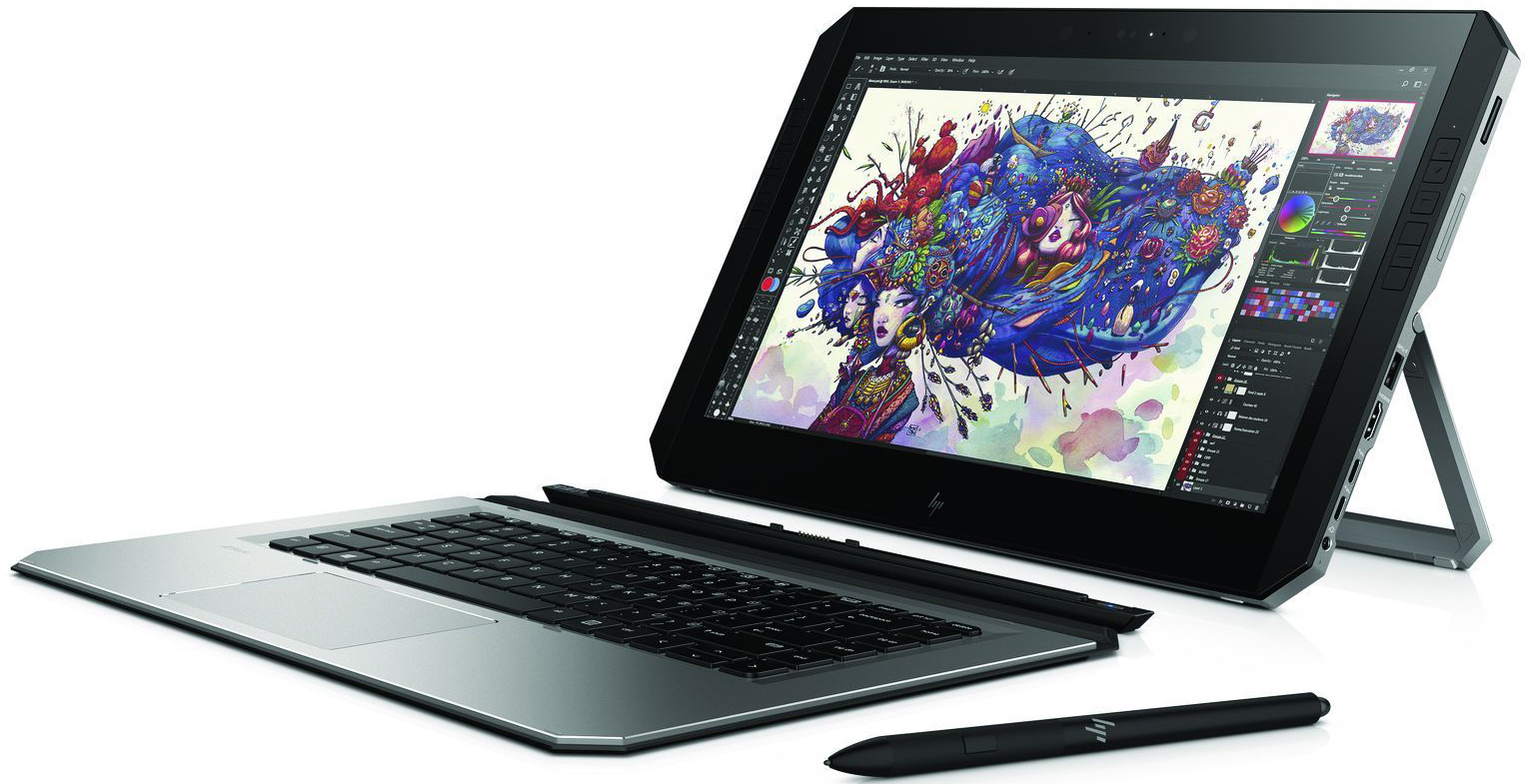
HP ZBook x2
Detachable are 2 in 1s where the keyboard and screen can be separated to form 2 separate units. These devices normally follow a tablet-first approach(Most hardware components are in site the tablet and the keyboard acts only as a cover). devices like this include the Acer Switch 7 Black Edition, Google Pixel C, Apple iPad Pro and Lenovo Miix 630. Of course there are exceptions that follow a laptop-first approach like the Microsoft Surface Book 2.
Convertibles
Lenovo Thinkpad X1 Yoga
Convertibles(Also known as bendables or flippables) are 2 in 1s where the keyboard can be rotated 360° to form a thick tablet. Convertibles mostly follow a laptop-first approach. Examples include the Google Pixelbook, Dell Xps 13 2 in 1and Lenovo Thinkpad X1 Yoga.
error_outline
There are also 2 in 1s like the Porsche Design Book One which can bend 360° and detach as well.
Swivel Laptops
HP Elitebook Revolve
Swivel laptops have a laptop-first design with the screen rotating horizontally on an axis on the keyboard and forming a thick tablet. This design was popular before the introduction of convertibles. Examples include the HP Elitebook Revolve and Lenovo ThinkPad X230 3435-22U.
Rotating Screen Laptops
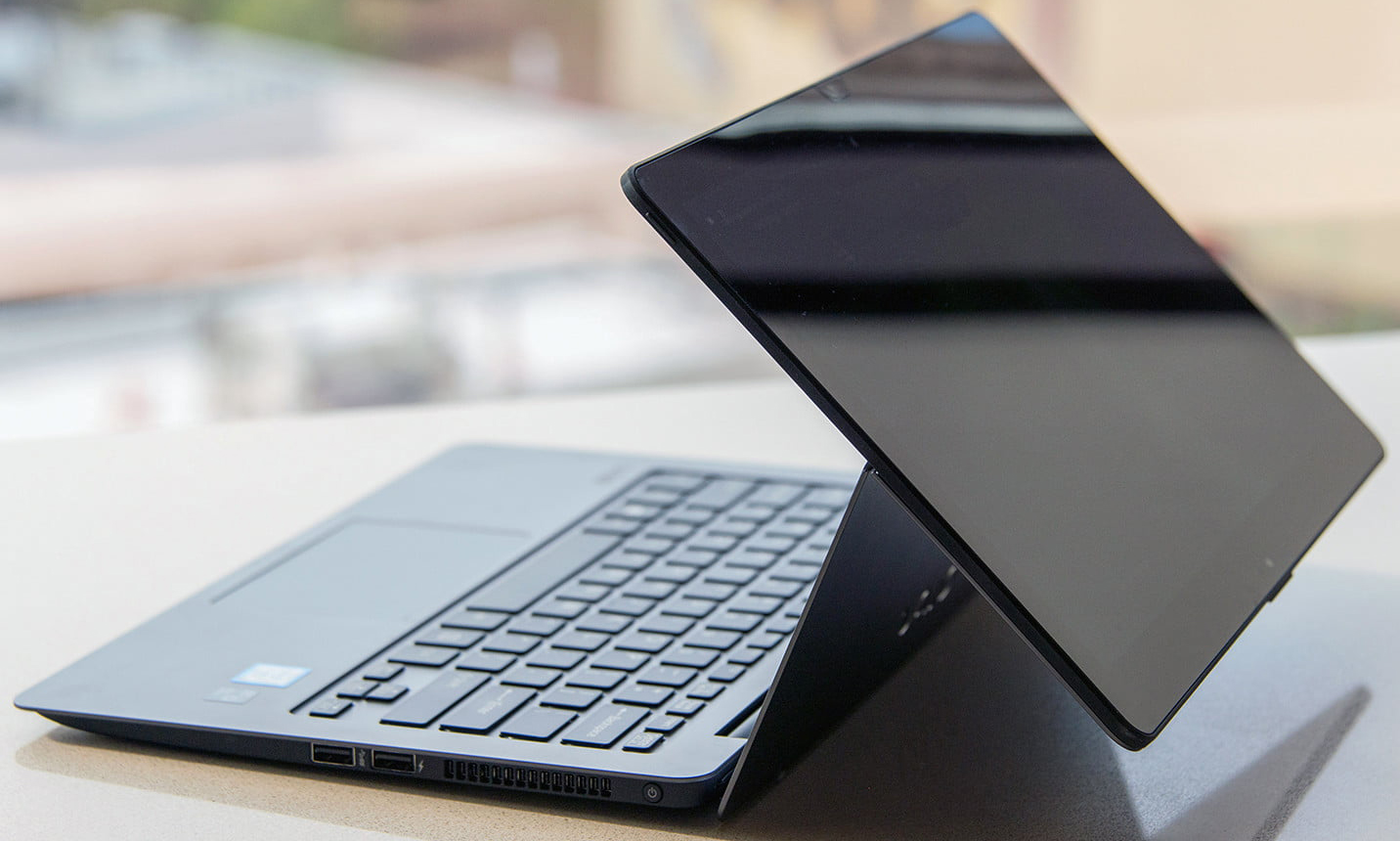
Vaio Z Flip
This setup includes the screen rotating vertically to use a laptop-first design as a thick tablet. This setup didn't quite take off as it made devices thicker. The Vaio Z Flip uses this setup.
2 in 1s have already destroyed the standalone tablet market and are now slowly taking over traditional clamshell laptops. Thus, it can be said without doubt that 2 in 1s are the future of mobile computing.
Publisher:
Devansh
- February 02, 2018
SVG is a 2D raster image format developed by CompuServe Inc. It supports multi-frame animations and has widespread compatibility.
What is GIF?
GIF stands for Graphic Interchange Format. It is a 2D raster image format created by CompuServe Inc. on 15th June, 1987. The format allows bitmaps with upto 8 bits per pixel and also supports animations. It uses the 24 bit RGB color space and thus supports only 256 colors. Due to this color limitation it is mostly used for graphics and logos instead of photographs. It is in wide use especially on the web due to it's portability widespread compatibility.
Animated GIF
GIFs are compressed using the LZW(After Lempel–Ziv–Welch, surnames of it's creators) lossless compression technique. Though, due to the color limitations, images might appear grainy. This technique of compression without loss of visual quality was patented by CompuServe in 1985 but due to a licensing controversy with Unisys Corp. which had copyrights over the compression format. The long controversy led to the development of the PNG format to replace GIFs. But by 2004 all of the patents over LZW had expired and GIF finally became an open standard.
The image format has two versions, the original one(1987) called 87a and an upgraded version(1989) called 89a. GIF29a added support for animation delays, transparency, more metadata and text.
How to open a GIF file?
Mostly due to their popularity, GIFs can be viewed easily using most web browsers. Most device's image galleries can also view GIFs. Static GIFs can be made using most image editors including Paint. Software like Adobe Photoshop and GIMP can create animated(multiframe) GIFs.
Why did GIFs become popular
GIFs have become extremely popular in social media
Between 1987 and 1994 GIFs had become the most popular image format due to plenty of support by CompuServe and it's portability.
But, by the end of December 1994, CompuServe and Unisys announced that developers would have to pay a license fee in order to continue to use technology patented by Unisys in compression software supporting the GIF format. This caused widespread confusion and led to the development and popularity of other formats like PNG.
By 2004 as all the relevant patents had expired, thus in upcoming years GIFs regained popularity and support. They became popular as animated GIFs were like a mix of static images and videos. They were smaller on size than videos and thus attracted a lot of attention. GIFs brought short animations to social media and their popularity continues to grow as they are now considered a class apart from static images. Thus, GIFs are here to stay!
Publisher:
Devansh
- January 08, 2018
An Android ROM is the Operating System of an Android device and is based on the Android source code.
What are Android ROMs?
ROM is the part of a device's memory that cannot be directly edited by a user. An Android ROM is the OS of an Android device and is based on the Android source code which is edited to support hardware and add more features. A stock ROM is one which comes pre-installed with a device whereas a custom ROM has to be installed manually. A custom ROM provides many features but generally voids a device's warranty. The requirement and installation of custom ROMs has declined due to the following reasons:
The end on Cyanogenmod
Reduced reasons for installing custom ROMs
Installing ROMs is more difficult
This was a summary, to know more
Read in detail below
ROM stands for Read Only Memory, it is the part of the device's memory which contains the OS components and is not directly editable by a user. An Android ROM or is the firmware of a device based on the Android source code. It is basically the whole OS of an Android device. Android is an open-source platform that allows anyone to edit it's source code and distribute their creations.
OEMs selling Android phones create their own Android ROMs for their devices to make it compatible with their own hardware, add more features and change the look and feel of Android.
What are stock and custom ROMs?
A stock ROM is one that comes preloaded with a device. Whereas a custom ROM is one that can be flashed(installed) separately on a device(With a custom recovery, after rooting). These include Lineage OS(formerly Cyanogenmod), Paranoid Android, OmniROM and MIUI.
error_outline A custom ROM can be pre-installed as stock on a device. Most Xiaomi products have MIUI as stock ROM.
A custom ROM usually has more features and customisation options. Custom ROMs may also be based on newer Android versions which the OEM has decided not to provide to the device, in other words a custom ROM can provide extra Android updates to a device.
In addition to this, a custom ROM can overclock hardware to increase performance or it can underclock hardware to increase battery life. But installing a custom Rom on a device generally voids it's warranty.
Cyanogenmod and the deterioration of Android ROMs
The end of Cyanogenmod
Cyanogen Inc. was arguably the biggest organisation developing and investing in Android ROMs with Cyanogenmod(One of the best android ROMs). As Cyanogenmod was feature rich and open source, a lot of developers started making ROMs based on Cyanogenmod and not the Android source code.Cyanogenmod shut down in late 2016, even though it has been succeeded by Lineage OS, the number of developers is far less.
Reduced reasons for installing custom ROMs
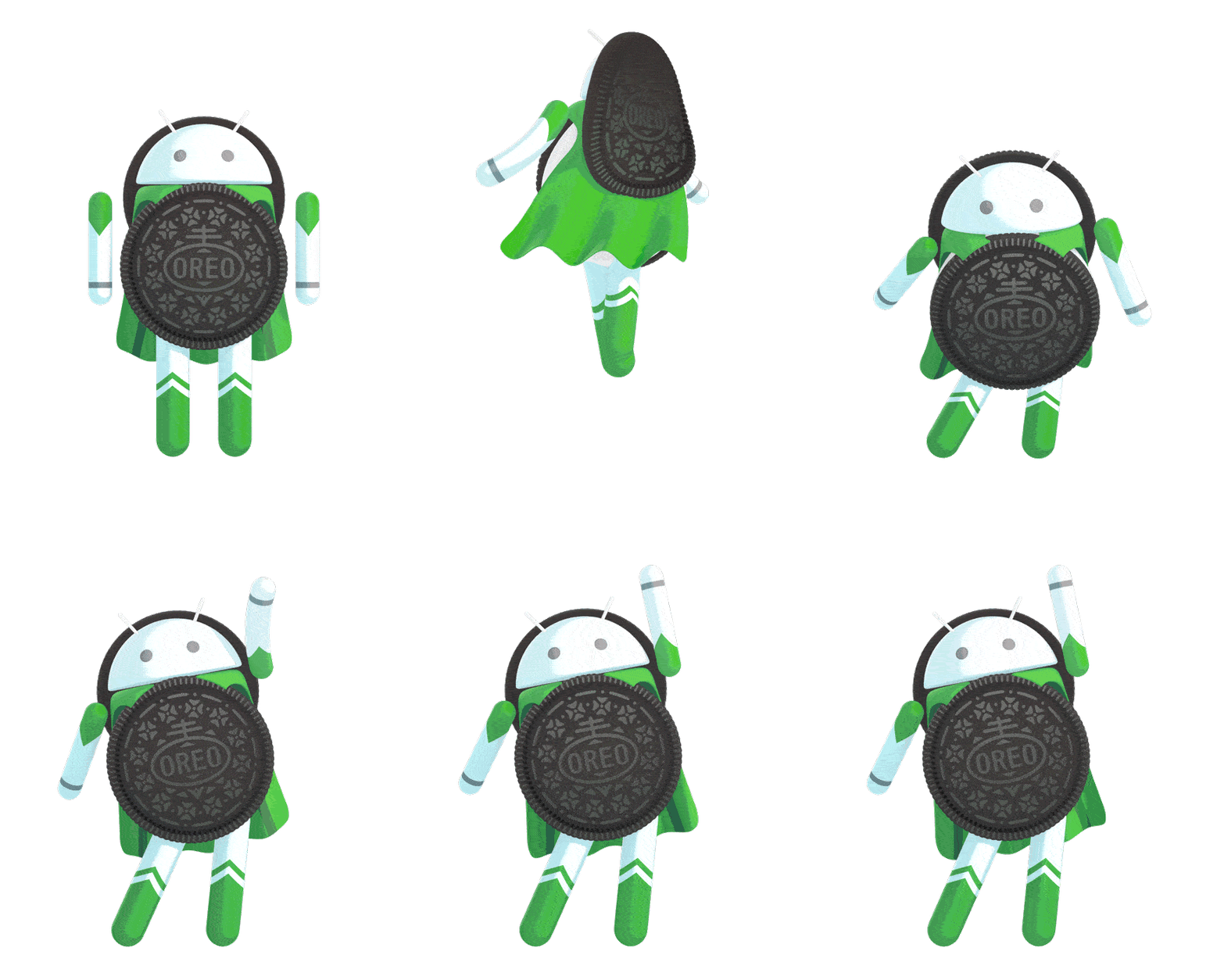
Android Oreo
Over time the Android ecosystem has matured. OEMs have reduced bloatware, added a lot of features and have created cleaner UIs. OEMs are now providing more support and prolonged updates to their devices. Google's new Project Treble is also going to increase the time period for which devices get Android updates. Besides, installing a custom ROMs nowadays also means sacrificing security and sometimes camera quality.
Installing ROMs is more difficult
More devices are coming with permanently locked bootloaders, which means you can neither root your device nor install custom ROMs. OEMs and even Google discourages custom ROMs and thus any way to root and install a custom ROM is more risky and difficult.Thus, even developement and support of custom ROMs have reduced.
Custom ROMs have led to great features being incorporated in Android itself, but with lesser need and difficult installations, custom ROMs are slowly dying.
Publisher:
Devansh
- November 25, 2017
Bezel-less devices have various setups:
Reduced top and bottom bezels
Only bottom bezel
Display Notch
Secondary Display
This was a summary, to know more
Read in detail below
A bezel-less phone or a bezel-less device is one with no or small bezels. A bezel in a smartphone, tablet, laptop, TV or watch is the part of the front side not having a screen, that is, the non-screen part which surrounds the screen.
In the past, bezels on computer monitors and smartphone contained circuitry but later the bezels were there only for structural strength. With the beginning of 2017, bezel-less phones started gaining popularity and became a new trend and eventually bezel-less phones for all price ranges have been released. With slimmer top and bottom bezels the height of the screen in smartphones has been increased thus bezel-less phones commonly come with an 18:9(2:1) aspect ratio rather than the traditional 16:9.
What are the synonyms of bezel-less display?
OEMs have advertised their bezel-less devices using many different names such as infinity display(popularized by Samsung), full-vision display(popularized by LG), edge to edge display, edge-less display(popularized by Sharp), nano-edge display(popularized by Asus), full optic display(popularized by Oneplus), thin-bezel display etc.
Are there any disadvantages of going bezel-less?
The Apple iPhone X omits the fingerprint sensor
Yes, though bezel-less displays look really cool but they create several drawbacks for devices.
Removal or Relocation of components on the bezels
Several components like a home button cum fingerprint sensor, front camera, notification LED and several other sensors are traditionally placed on the top and bottom bezels. With the onset of bezel-less displays, several such components are either scrapped off completely or relocated and placed in other places which might cause inconvenience.
The Xiaomi Mi Mix replaces the proximity sensor and earpiece with ultrasound and piezoelectric ceramic respectively
More fragile devices
Due to more screen on the front side and curved screens, devices become fragile and more susceptible to cracks or shatters during the occasional accidental drops.
Increased accidental inputs
Lesser bezels sometimes cause accidental touch inputs in devices, these are a pain in the ass.
Thicker devices
A lot of devices especially laptops and tablets contain circuitry or internal components underneath the bezels. So if these bezels are to be removed, then the circuitry and components need to be placed under the display, these make the device thick.
What are the different bezel-less setups?
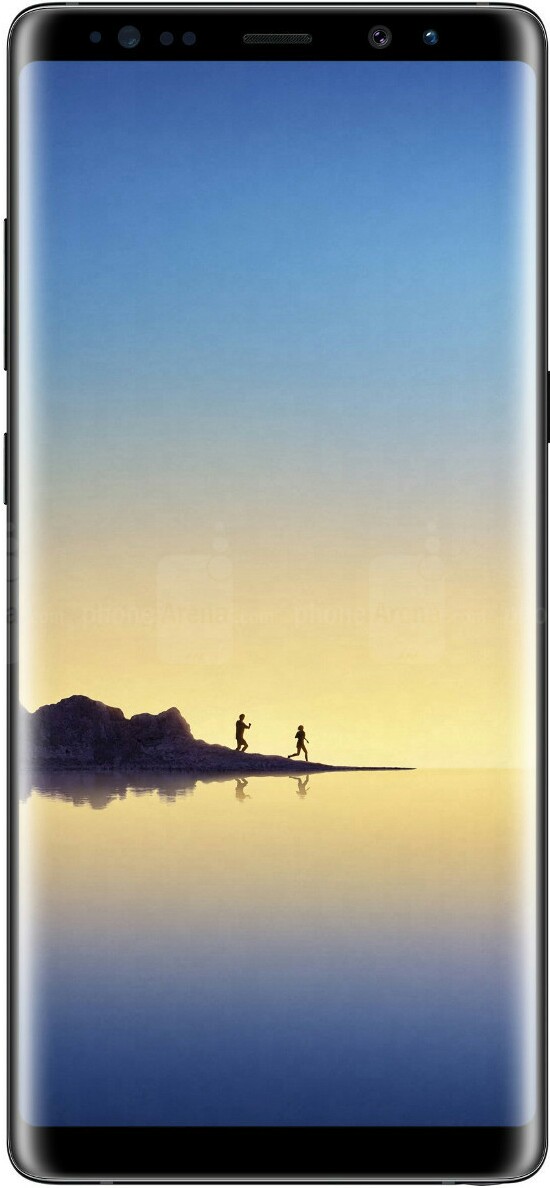
Samsung Galaxy note 8 features minimal bezels on top & bottom with a curved display.
Devices without side bezels or curved bezels at the sides(And fat bezels on the top and bottom) were earlier marketed as bezel-less. But with newer devices with lesser bezels. Most people don't consider them bezel-less any more.
Reduced top and bottom bezels
The LG G6 features minimal bezels on the top & bottom.
Most bezel-less phones omit the side bezels and contain minimal top and bottom bezels which are just big enough to accommodate the necessary sensors and the front camera but usually don't have a front facing fingerprint sensor. Devices having such a setup include the LG G6, Google Pixel 2XL and the LG V30. The Samsung Galaxy S8 and the Samsung Galaxy Note 8 also accommodate this setup but also have curved screens along with them.
Only bottom bezel
The HiSense Vidaa Mirror has a futuristic bezel-less design
In this setup, all bezels except the bottom one are removed, the front camera and sometimes the fingerprint sensor is placed on the bottom. the proximity sensor is either placed on the bottom or replaced by ultrasound. Devices with this setup don't usually have a conventional earpiece and use technologies like direct wave recievers(which can generate sound by vibrating the screen) or piezoelectric ceramic(which can generate sound from the metal frame). Phones having such a setup include the Xiaomi Mi Mix 2, Elephone S8 and the Panasonic Eluga C.
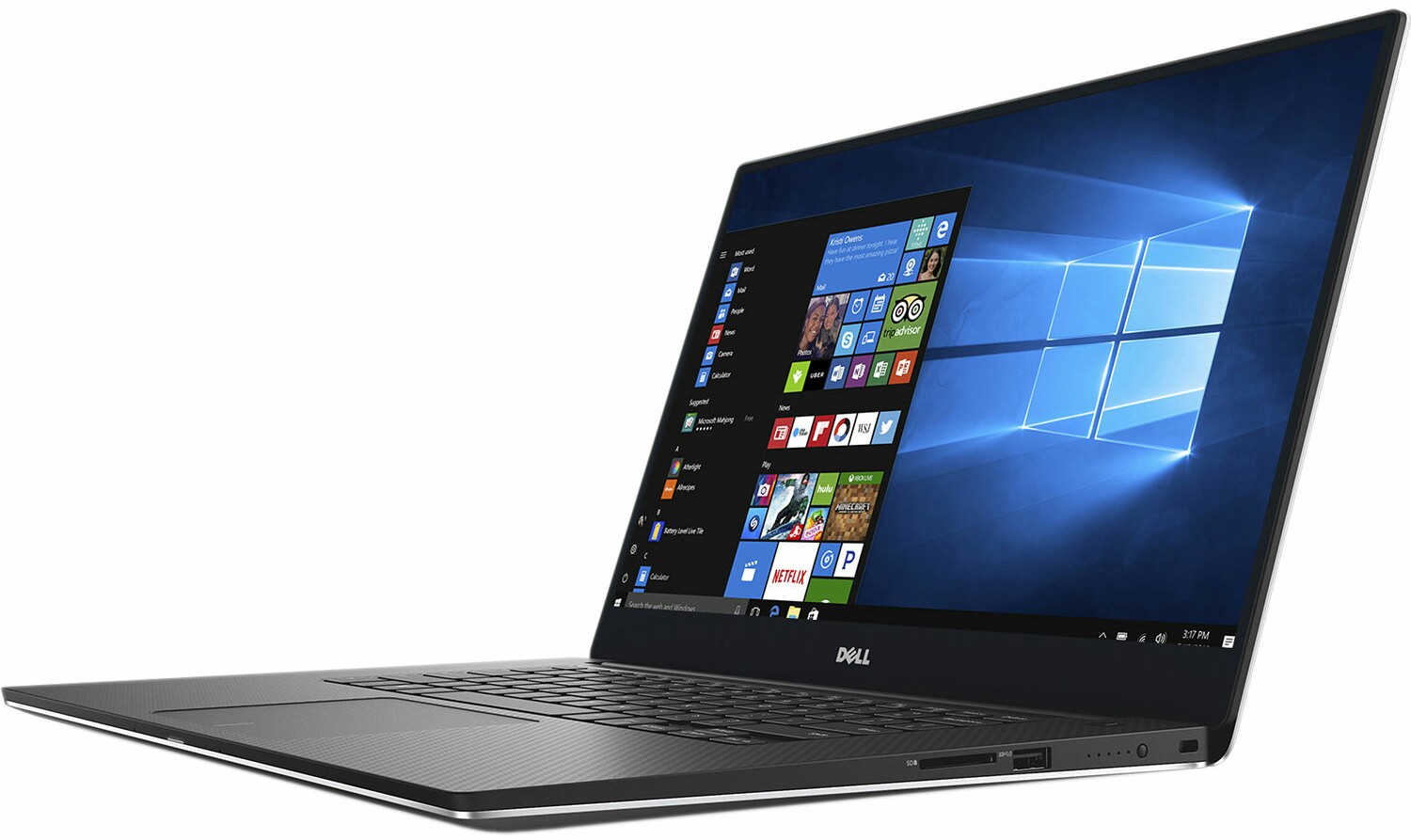
The Dell XPS 15 houses and infinity display
This setup is the only one used by laptops and tablets with bezel-less displays. Examples include the Dell Inspiron 7000, Dell XPS 15, Asus Vivobook S15 and the HiSense Vidaa Mirror.
Display Notch
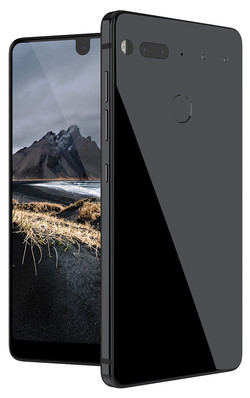
The Essential PH-1 has a small display notch
Some device manufacturers have gone ahead of just reducing bezels and have created devices with no bezels but a protruding notch which accommodates the camera and sensors. Not all people are in favor of this setup as it might lead to inconvenience while looking at photos and apps might need to adapt their code to suit the notch. Yet it has been used in devices such as the iPhone X and the Essential PH-1.
Secondary Display
The LG V20 has a secondary display beside the front camera
Some devices have attempted to avoid a display notch by using a secondary screen adjacent to the notch. Secondary screens can show app shortcuts, information regarding the current app or other information like weather. This design was prevalent in the LG V series but has not been used in their latest flagship(the LG V30). The LG V20 has this setup.
The trend of bezel-less displays is likely to prevail and appear in most new devices and by it's popularity it seems that it is here to stay. If not forever, at least for a few more years.
Publisher:
Devansh
- October 22, 2017
Android One is a device standard for developing markets. Android One devices run stock Android and get regular updates.
What is Android One?
Android One is a device standard for Android devices launched by Sundar Pichai for developing markets. Android One devices run stock Android and get regular updates. Earlier Android One appeared on entry level devices having similar hardware, appeared only in developing countries and had country specific launches.
With the recent reboot of Android One, many changes have been made such as the presence of mid-range Android One devices, multinational launches, launches in developed countries and inclusion of bloatware.
This was a summary, to know more
Read in detail below
Android One is a device standard made for Android devices primarily for developing countries. The basic idea behind Android One is that the hardware is manufactured by the OEM and the software is made and updated by Google. The design, development, marketing and support for these devices is handled by Google.
Android One devices run a stock version of the Android OS with no modification by the device manufacturer. These devices get regular security patches from Google and enjoy long term Android updates. It is rumoured that Google also specifies minimum hardware requirements for Android One devices.
Android One
What was the original concept of Android One?
Android One was launched by Sundar Pichai(Current CEO of Google) while primarily keeping the Indian market in mind.
The initial Android One devices were all entry level devices featuring low price tags. Until very recently, all Android One devices were country specific(no device released in more than one country). The initial wave of Android One devices had the same hardware to simplify the process of porting the Android ROM to all the devices.
What are the recent changes to Android One?
In recent times, Google is trying to reboot the Android One project with mid range and flagship phones where Android One is implemented in a considerably different way than before.
Inclusion of OEM Bloatware
Xiaomi Mi A1
A new addition to the Android One lineup, the Xiaomi Mi A1 comes with stock Android but does ship with some bloatware from Xiaomi. The Feedback app, Mi Remote and Mi store comes preloaded with the device. Besides these, the phone also uses the Mi Camera app(Mostly because the Google camera app still doesn't have support for dual cameras). With the inclusion of these apps and with Control of basic functionality like camera to OEM software, the OS cannot be called free of OEM bloatware.
The Android One edition of the Motorola Moto X4 is another new addition to the lineup. It also uses the Moto Camera app instead of the Google camera. It is also the first non-Google phone to be compatible with Google's Project Fi.
Multi-national launch
The Xiaomi Mi A1 has been launched across 36 countries in the Asia Pacific. This is a first for Android One as conventionally they were country specific.
Launch in developed countries
Motorola Moto X4 Android One
The Android One version of the Motorola X4 is the first Android One phone to be launched in USA. This is extraordinary as originally the Android One project was intended for developing countries only.
Publisher:
Devansh
- October 05, 2017