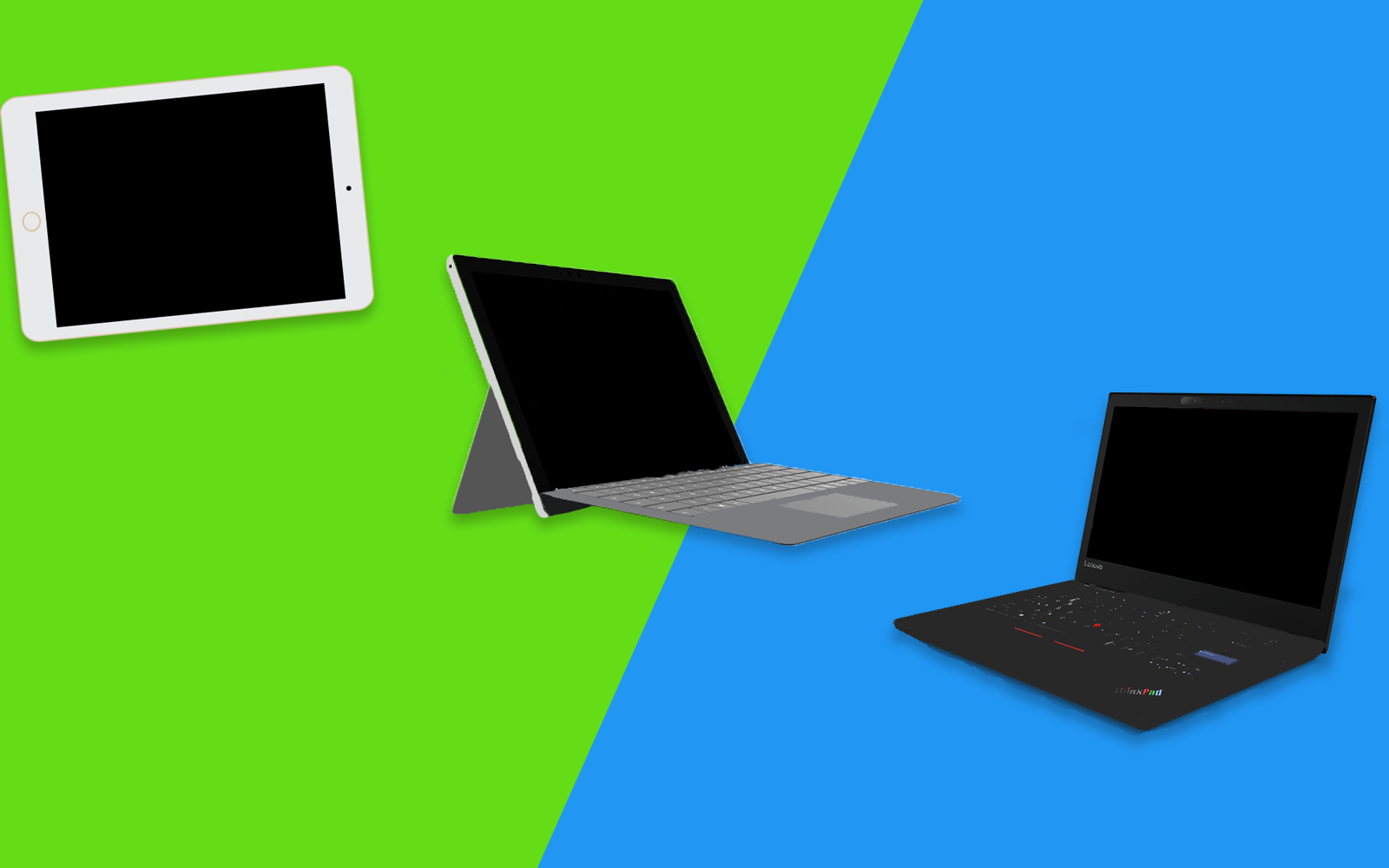
2 in 1 PCs are hybrid computers that can be used both as a laptop or as a tablet.
What is a 2 in 1 PC
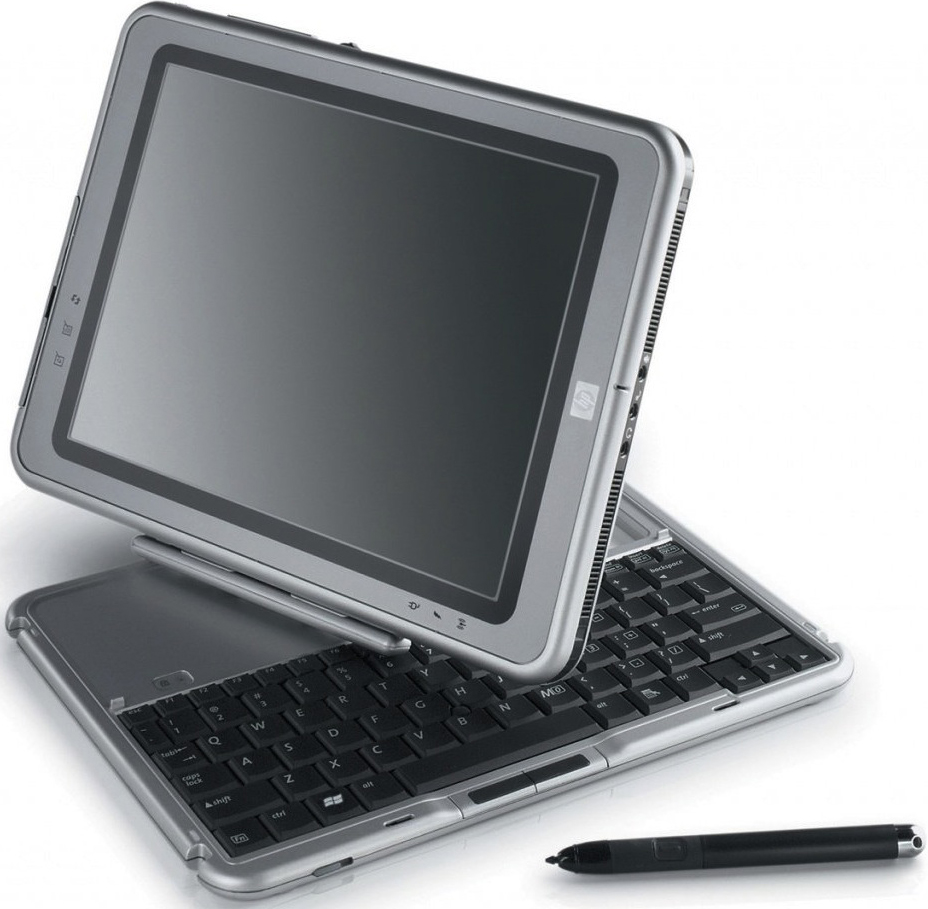
A 2 in 1 Computer is a tablet-laptop hybrid that can be used as both. 2 in 1s try to combine the portability of a tablet with the functionality of a laptop. The earliest device that can be called a 2 in 1 is the Compaq TC1000 launched in 2002 with Windows XP. Though the modern day boost to 2 in 1s was given by the Microsoft Surface series.
Windows 2 in 1s originated with the launch of the defunct Windows RT platform. Even though the platform failed due to lack of features, 2 in 1s became popular and soon began appearing with the full version of Windows. Windows 8s touch friendly features also played a major role in this.
Compaq TC1000
Now, 2 in 1s running various operating systems can be seen on the market including Android, Chrome OS, iOS, Linux and Windows 10S.
Today, 2 in 1s come with different capabilities in different price brackets. With the introduction of Windows on ARM. 2 in 1s also come with Qualcomm's mobile processors. 2 in 1s with Intel's Atom and Core m series of processors. Pricier 2 in 1s with Intel's Core i processors are also available.
How can 2 in 1s be classified
Besides the OS that they run, 2 in 1s can be classified according to their design
Detatchables
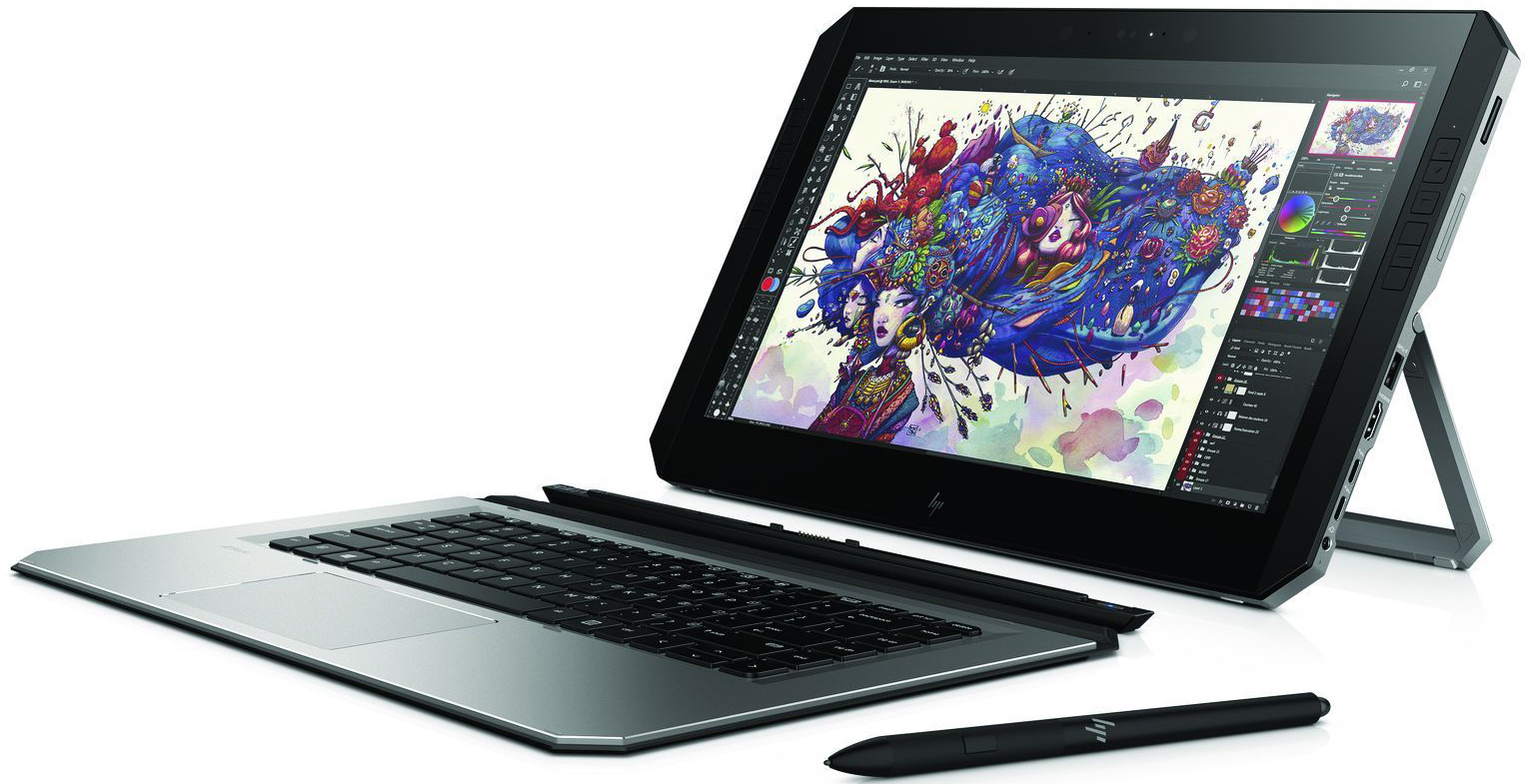
HP ZBook x2
Detachable are 2 in 1s where the keyboard and screen can be separated to form 2 separate units. These devices normally follow a tablet-first approach(Most hardware components are in site the tablet and the keyboard acts only as a cover). devices like this include the Acer Switch 7 Black Edition, Google Pixel C, Apple iPad Pro and Lenovo Miix 630. Of course there are exceptions that follow a laptop-first approach like the Microsoft Surface Book 2.
Convertibles
Lenovo Thinkpad X1 Yoga
Convertibles(Also known as bendables or flippables) are 2 in 1s where the keyboard can be rotated 360° to form a thick tablet. Convertibles mostly follow a laptop-first approach. Examples include the Google Pixelbook, Dell Xps 13 2 in 1and Lenovo Thinkpad X1 Yoga.
error_outline
There are also 2 in 1s like the Porsche Design Book One which can bend 360° and detach as well.
Swivel Laptops
HP Elitebook Revolve
Swivel laptops have a laptop-first design with the screen rotating horizontally on an axis on the keyboard and forming a thick tablet. This design was popular before the introduction of convertibles. Examples include the HP Elitebook Revolve and Lenovo ThinkPad X230 3435-22U.
Rotating Screen Laptops
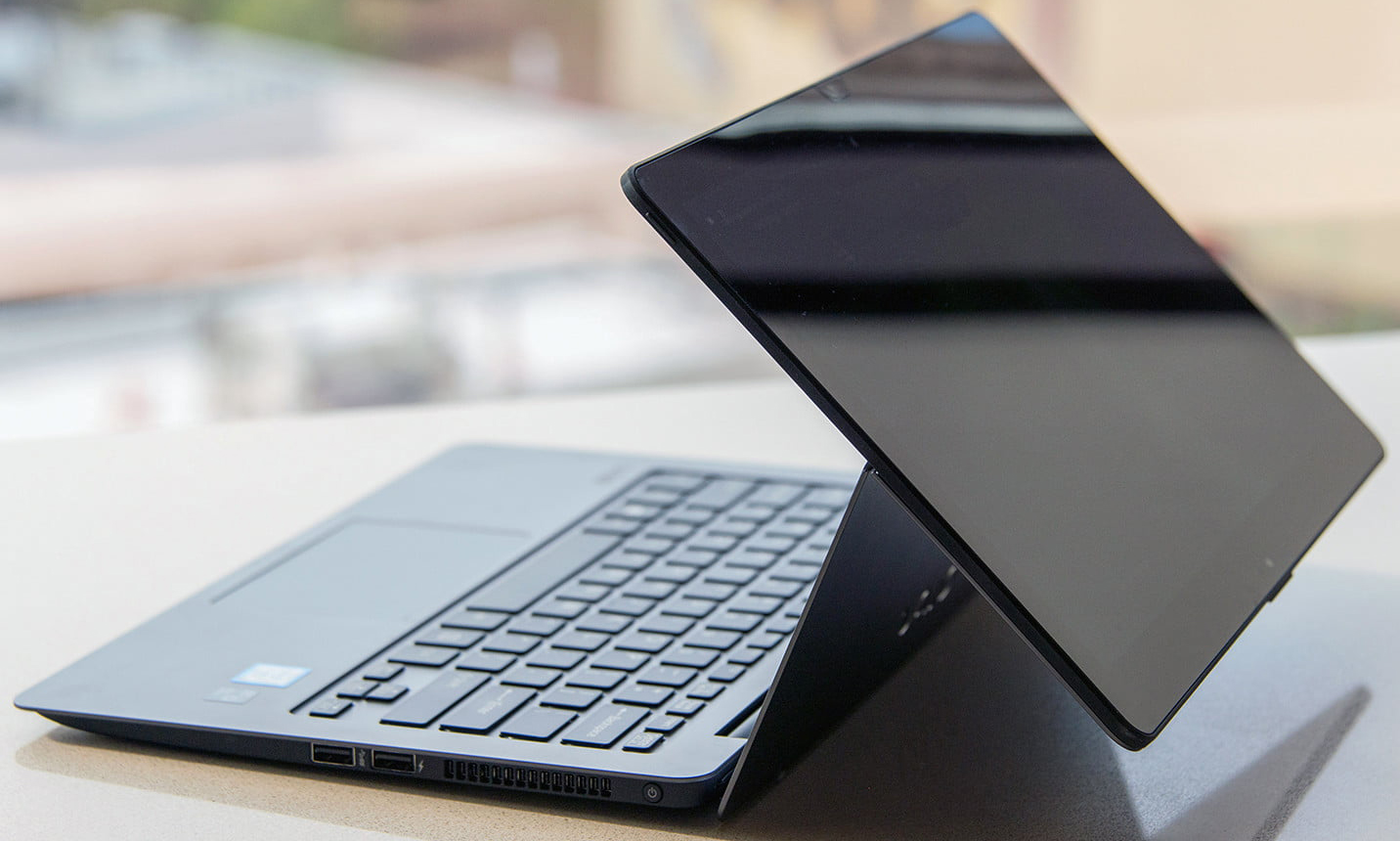
Vaio Z Flip
This setup includes the screen rotating vertically to use a laptop-first design as a thick tablet. This setup didn't quite take off as it made devices thicker. The Vaio Z Flip uses this setup.
2 in 1s have already destroyed the standalone tablet market and are now slowly taking over traditional clamshell laptops. Thus, it can be said without doubt that 2 in 1s are the future of mobile computing.
Publisher:
Devansh
- February 02, 2018
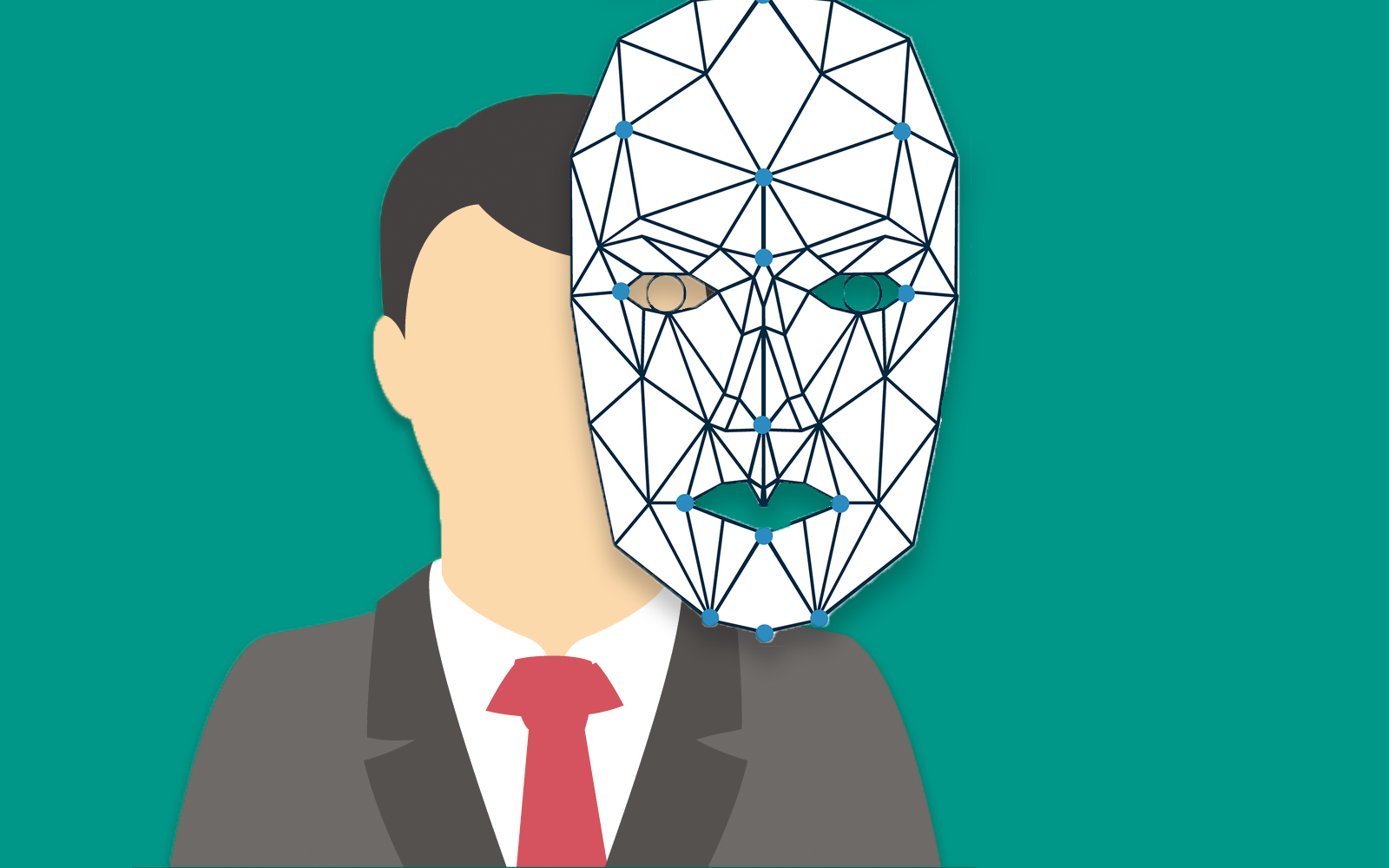
Facial biometric security is the use of any part of the user's face or eye as a device's password.
What is Facial Biometric Security?
Facial biometric security is the use of any part of the face or eye as a password. Even though facial security exists for a long time, they have seen use in consumer electronics only recently. The various facial biometric technologies include:
2D Facial Recognition with normal camera
2D Facial Recognition with infrared light
3D Facial Recognition with infrared light
3D Facial recognition with infrared dot projector
Iris Scanning
Retinal Scanning
This was a summary, to know more
Read in detail below
Biometric security is the use of a part of the human body as a unique password. Facial biometric security is the use of unique facial or optical features as a password to unlock a device.
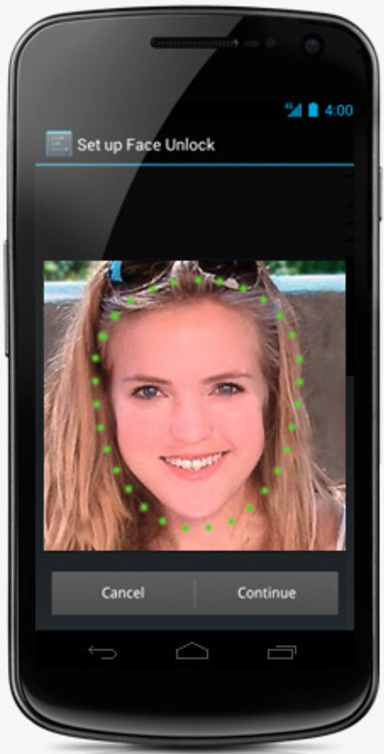
Facial recognition technology has been around since the 60s, OMRON developed the OKAO Vision Face Recognition Sensor technology for PDAs in 2005 and face unlock has been a part of Android since Ice Cream Sandwich. But most of the time facial security was inaccurate and time consuming. With continual development of technology, both the accuracy and speed of facial security has increased and is finally in widespread use and is likely to be the next big trend in biometric security.
Samsung Galaxy Nexus The first Android phone with face unlock
What are the various types of Facial Security?
2D Facial Recognition with normal camera
This is the oldest form of facial security where no additional hardware is required. The device uses it's front camera to take an image of the subject and compares it to a previously stored image of the owner.
Old implementations of this setup can easily be fooled by an photo of the owner. But newer devices use AI to determine if the subject is alive and moving, and thus cannot be fooled easily. This setup is used in devices like the Oneplus 5T.
2D Facial Recognition with infrared light
Unlike the previous setup, this one requires an infrared LED to focus invisible light on the subject. This light bounces back and is captured by an infrared camera.
Since infrared light is used, this setup can be used in the dark. It is also not possible to fool this setup with a photo. This setup is used in the Microsoft Surface Pro(Windows Hello).
3D Facial Recognition with infrared light
This setup has the same components as the previous one. The only difference is that it makes the subject move/shake his head to capture a 3D model and compares it to a previously stored 3D model of the owner. 3D recognition is more secure than 2D but this setup is more time consuming. Since it has the same hardware components, it can be set up on the Microsoft Surface Pro(Windows Hello).
3d Facial recognition with infrared dot projector
Face ID
In this setup, along with an infrared LED, an infrared dot projector is used which creates many invisible dots on the subject's face, this leads to better registry of shape. Thus increasing security and removing the need of the subject to move/shake his face. Such a setup can be found on the Apple iPhone X(Face ID).
Iris Scanning
Iris scanning works by scanning the pattern of both the Irises of the subject's eyes which is different for everyone. The eye is illuminated by an infrared LED and is captured by an infrared camera and compared to a previously stored sample.
Iris scanning technology is known to be vulnerable as the Iris scanner on the Samsung Galaxy S8 have been fooled by an image of the eyes and contact lenses.
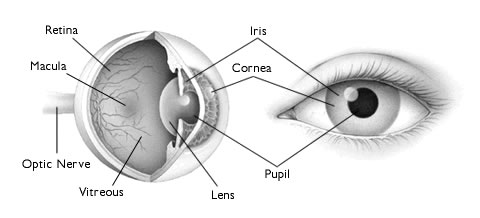
Diagram of the eye
Retinal Scanning
Retinal scanning uses the same technology and procedure as iris scanning but instead of the pattern of the iris, it scans the pattern of blood vessels in the retina of the human eye. It is more secure than iris scanning.
error_outline Retinal scanning has yet not seen use in consumer electronics. Though retinal scanners have been used in ATMs for identity verification
Bezel-less devices have various setups:
Reduced top and bottom bezels
Only bottom bezel
Display Notch
Secondary Display
This was a summary, to know more
Read in detail below
A bezel-less phone or a bezel-less device is one with no or small bezels. A bezel in a smartphone, tablet, laptop, TV or watch is the part of the front side not having a screen, that is, the non-screen part which surrounds the screen.
In the past, bezels on computer monitors and smartphone contained circuitry but later the bezels were there only for structural strength. With the beginning of 2017, bezel-less phones started gaining popularity and became a new trend and eventually bezel-less phones for all price ranges have been released. With slimmer top and bottom bezels the height of the screen in smartphones has been increased thus bezel-less phones commonly come with an 18:9(2:1) aspect ratio rather than the traditional 16:9.
What are the synonyms of bezel-less display?
OEMs have advertised their bezel-less devices using many different names such as infinity display(popularized by Samsung), full-vision display(popularized by LG), edge to edge display, edge-less display(popularized by Sharp), nano-edge display(popularized by Asus), full optic display(popularized by Oneplus), thin-bezel display etc.
Are there any disadvantages of going bezel-less?
The Apple iPhone X omits the fingerprint sensor
Yes, though bezel-less displays look really cool but they create several drawbacks for devices.
Removal or Relocation of components on the bezels
Several components like a home button cum fingerprint sensor, front camera, notification LED and several other sensors are traditionally placed on the top and bottom bezels. With the onset of bezel-less displays, several such components are either scrapped off completely or relocated and placed in other places which might cause inconvenience.
The Xiaomi Mi Mix replaces the proximity sensor and earpiece with ultrasound and piezoelectric ceramic respectively
More fragile devices
Due to more screen on the front side and curved screens, devices become fragile and more susceptible to cracks or shatters during the occasional accidental drops.
Increased accidental inputs
Lesser bezels sometimes cause accidental touch inputs in devices, these are a pain in the ass.
Thicker devices
A lot of devices especially laptops and tablets contain circuitry or internal components underneath the bezels. So if these bezels are to be removed, then the circuitry and components need to be placed under the display, these make the device thick.
What are the different bezel-less setups?
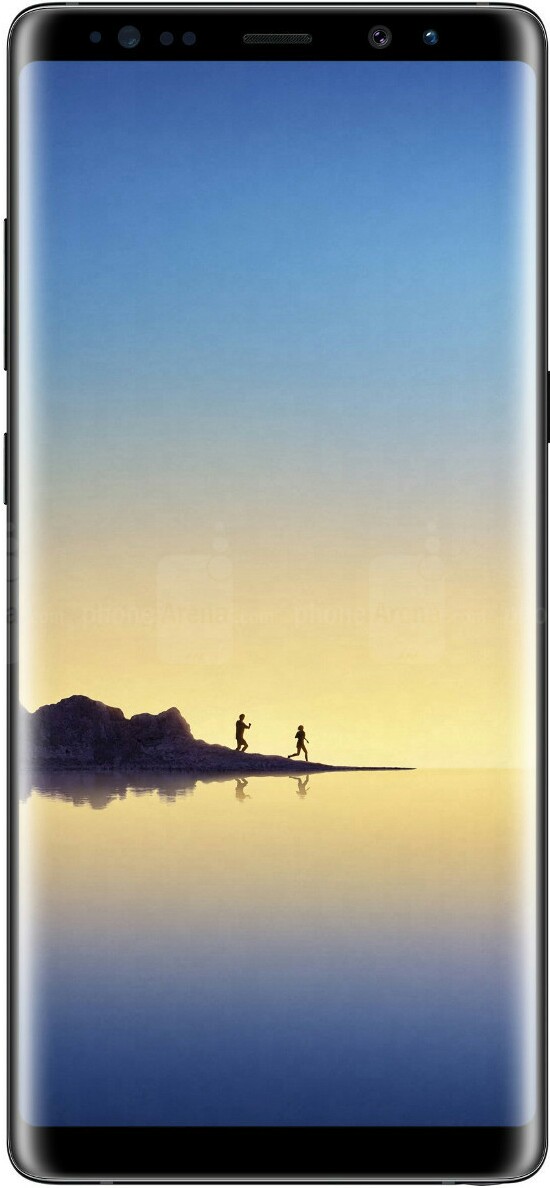
Samsung Galaxy note 8 features minimal bezels on top & bottom with a curved display.
Devices without side bezels or curved bezels at the sides(And fat bezels on the top and bottom) were earlier marketed as bezel-less. But with newer devices with lesser bezels. Most people don't consider them bezel-less any more.
Reduced top and bottom bezels
The LG G6 features minimal bezels on the top & bottom.
Most bezel-less phones omit the side bezels and contain minimal top and bottom bezels which are just big enough to accommodate the necessary sensors and the front camera but usually don't have a front facing fingerprint sensor. Devices having such a setup include the LG G6, Google Pixel 2XL and the LG V30. The Samsung Galaxy S8 and the Samsung Galaxy Note 8 also accommodate this setup but also have curved screens along with them.
Only bottom bezel
The HiSense Vidaa Mirror has a futuristic bezel-less design
In this setup, all bezels except the bottom one are removed, the front camera and sometimes the fingerprint sensor is placed on the bottom. the proximity sensor is either placed on the bottom or replaced by ultrasound. Devices with this setup don't usually have a conventional earpiece and use technologies like direct wave recievers(which can generate sound by vibrating the screen) or piezoelectric ceramic(which can generate sound from the metal frame). Phones having such a setup include the Xiaomi Mi Mix 2, Elephone S8 and the Panasonic Eluga C.
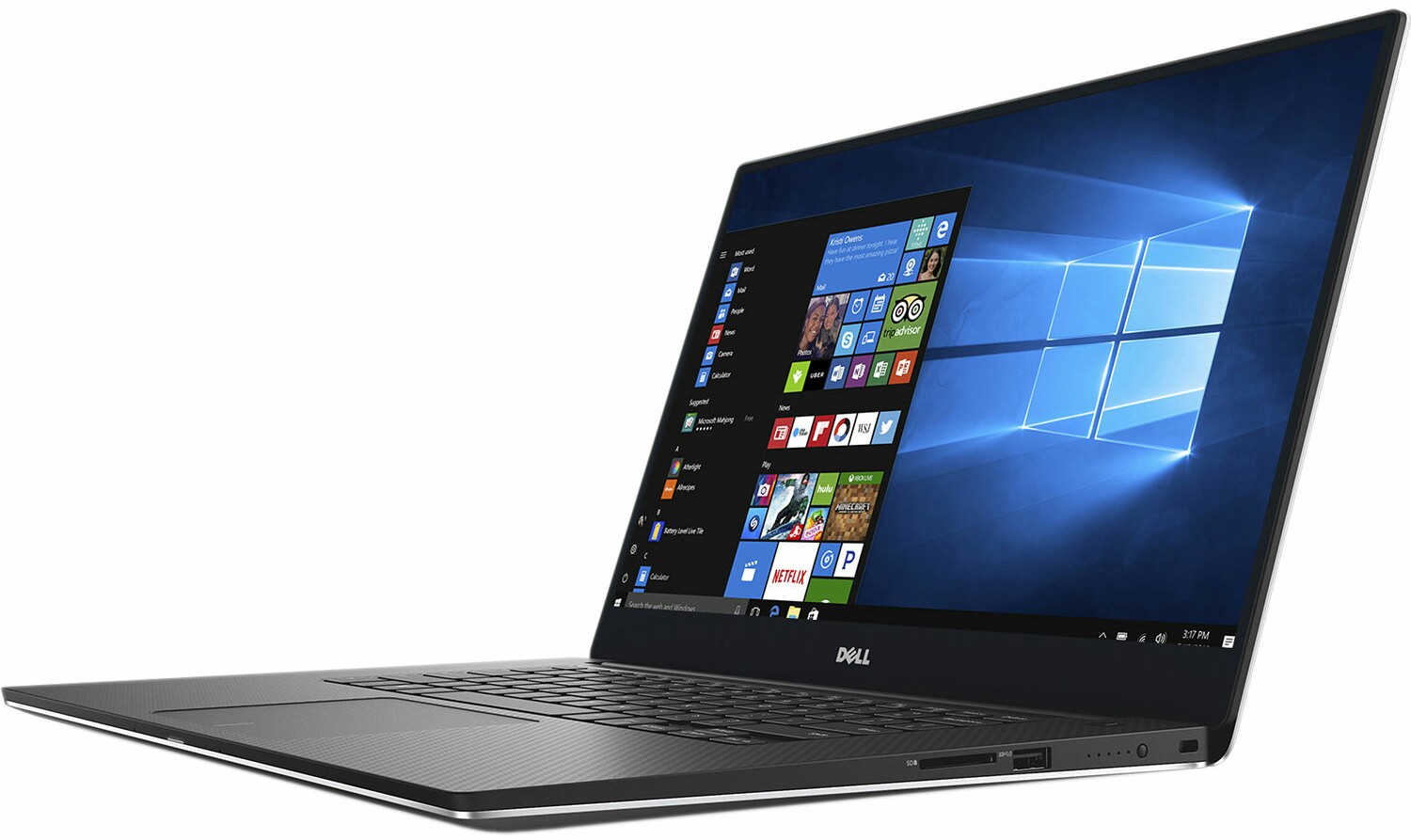
The Dell XPS 15 houses and infinity display
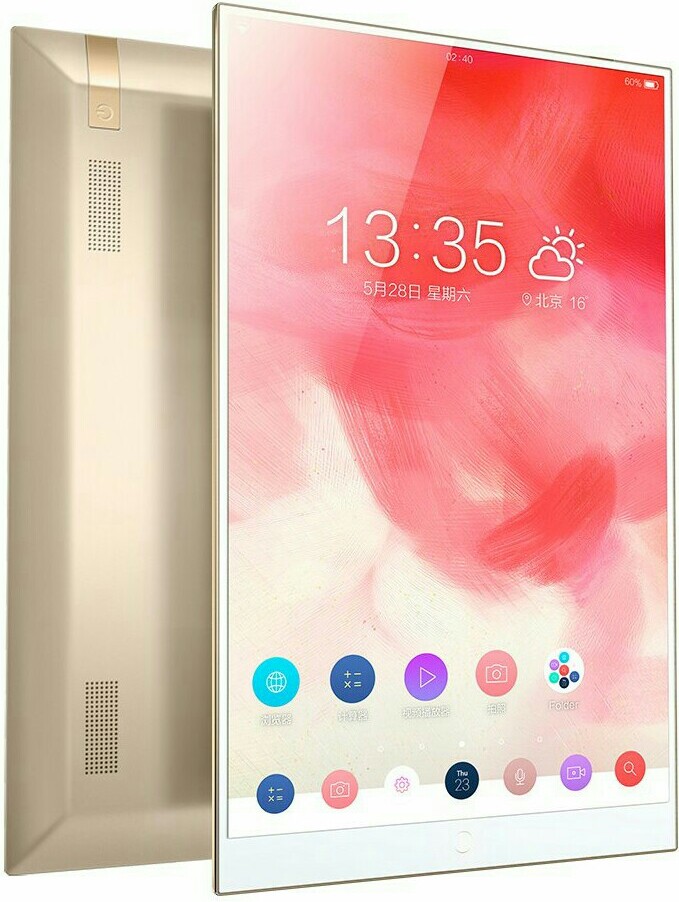
This setup is the only one used by laptops and tablets with bezel-less displays. Examples include the Dell Inspiron 7000, Dell XPS 15, Asus Vivobook S15 and the HiSense Vidaa Mirror.
Display Notch
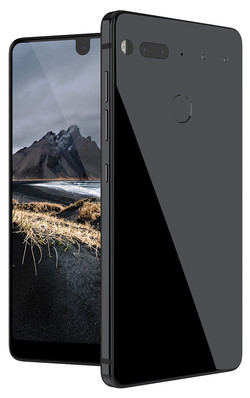
The Essential PH-1 has a small display notch
Some device manufacturers have gone ahead of just reducing bezels and have created devices with no bezels but a protruding notch which accommodates the camera and sensors. Not all people are in favor of this setup as it might lead to inconvenience while looking at photos and apps might need to adapt their code to suit the notch. Yet it has been used in devices such as the iPhone X and the Essential PH-1.
Secondary Display
The LG V20 has a secondary display beside the front camera
Some devices have attempted to avoid a display notch by using a secondary screen adjacent to the notch. Secondary screens can show app shortcuts, information regarding the current app or other information like weather. This design was prevalent in the LG V series but has not been used in their latest flagship(the LG V30). The LG V20 has this setup.
The trend of bezel-less displays is likely to prevail and appear in most new devices and by it's popularity it seems that it is here to stay. If not forever, at least for a few more years.
Publisher:
Devansh
- October 22, 2017
A dual camera smartphone contains 2 cameras on the back, front or at both places. Not all dual cameras are the same and different setups are used on different devices and perform different functions. Dual cameras do not always mean better photos. There exist the following types of dual camera setups: Stereo camera setup Telephoto lens Wide-angle lens Monochrome sensor Depth sensor Periscopic lens
This was a summary, to know more
Read in detail below
A dual camera smartphone is a smartphone with 2 camera sensors instead of the conventional single sensor for the primary(back) or secondary(selfie) camera. Dual cameras are used for a variety of purposes which include achieving lossless zoom, 3D photography, fancy effects like portrait mode.
What are the different Dual Camera Setups and what are they used for?
Stereo camera(normal+normal)
LG Optimus 3D, The first dual camera phone
In this type of setup, the two sensors are placed at a considerable distance from each other(the digital stereo baseline varies from device to device) and are allowed to capture an image from two different angles, thus simulating the human eyes' vision. This kind of setup is particularly used for 3D imaging.Stereo cameras are the first type of dual cameras used in smartphones although this setup is not used anymore to capture 3D images, instead they are used for AR emulation. Phones using such a camera include the LG Optimus 3D and HTC Evo 3D.
Telephoto lens(wide-angle+telephoto)
This type of dual camera setup uses a wide-angle lens in one camera and a telephoto lens in another. Telephoto lenses have a longer focal length and show a magnified image with a narrower field of view. Smartphone cameras are small and cannot accommodate enough lenses to create optical zoom, digital zoom on the other hand leads to loss of quality and pixellated images. Telephoto lens setups overcome this shortcoming by providing a lens that is permanently zoomed in while the other is permanently zoomed out. Thus closeup shots are taken by the wide-angle lens and zoomed shots are taken by the telephoto lens achieving a greater level of lossless zoom. Portrait mode or bokeh shots can be achieved with this setup if both lenses shoot simultaneously with different apertures and with some software touchups. Telephoto lenses are used in the Apple iPhone X, Oneplus 5 and Xiaomi MiA1.
error_outline Smartphones using the telephoto lens setup have a wide-angle lens along with the telephoto lens but here, the focal length of the wide-angle lens is quite low and thus acts similar to regular lenses. In other words they are not as wide-angle as the sensors in the next setup.
Comparision between telephoto, normal & wide-angle lens
Wide-angle lens(wide-angle+normal)
Much like the last one, this setup has a regular lens and a wide-angle lens. Wide-angle lenses have a substantially smaller focal length, thus having a greater field of view. This setup is used to capture wider shots. Cameras with this setup don't involving using both sensors at the same time and the user can switch between them. Some phones using such a setup include the LG G6 and Oppo F3.
Monochrome sensor(normal+black&white)
Monochrome+RGB setup
In this type of camera setup one lens is a standard RGB(Color) sensor whereas the other one is monochrome(Black and white). The idea behind this arrangement is that shadows and depth can be more accurately captured by a monochrome sensor. Thus the image is taken simultaneously in both the sensors and are morphed together to enhance the depth of field. This camera setup requires a lot of software enhancement to create a good quality image. Phones like the Motorola Moto G5S Plus and Huawei Honor 8 Pro have such a camera setup.
Depth sensor(normal+normal)
This kind of camera setup is mostly found in entry level phones and is similar to the Stereo setup, but is used for a different purpose. In this setup there is normally a difference between the resolutions of the sensors. Photos are taken simultaneously from both cameras and merged in a way that the subject(Person or object being shot) is captured by the high resolution camera and appears clear whereas the background and depth of field is captured by the low resolution(Depth sensing) camera and appears blurred, thus trying to provide a portrait mode like effect. This is a cheaper alternative for users for whom, effects are most important. Devices like the Oneplus 5T and Lenovo K8 Note use this setup.
Periscope lens(normal+periscopic)
Oppo 5X
This technology has been ingeniously designed by Oppo and dubbed as "5X dual camera zoom", in this besides a regular camera sensor, the second sensor is sideways. With this setup, they promise to provide 5X optical(Lossless) zoom in a smartphone camera by placing the sensor and lenses horizontally and reflecting the image to it with a prism. The advantage of this setup is that a large number of lenses can be accommodated without increasing the camera bump. Although only one prototype has actually been made to accommodate such a setup it is a very great concept and may be commercially used soon.
Are Dual Cameras always better than a single one?
Not necessarily, although dual cameras normally produce good images, without good sensors, lenses or software they are useless. Dual cameras have nowadays also become a marketing gimmick nowadays. So in order to get good images, good implementation is necessary which cheap smartphone manufacturers sometimes ignore as the 2 lenses are enough to get their devices sold.
Devices Like the Google Pixel 2 and the HTC U11 are examples of the best camera phones in the industry even when they only have a single camera. Thus good software, hardware and implementation in a single camera might produce better quality images than dual cameras.
But for now the future of dual cameras looks bright as they are appearing on more and more devices and their designs are constantly being refined. They definitely seem to be the future of the camera phone industry.